
logo
HomeBlogs

ChatGPT for Businesses: How To Set Up Your Business and Improve Customer Discovery

ChatGPT for Businesses: How To Set Up Your Business and Improve Customer Discovery

Discover how to claim and manage your business profile on OpenAI Business Hub, complete verification, access insights, and explore AI-powered business features.

ChatGPT for Businesses: How To Set Up Your Business and Improve Customer Discovery

AI tools such as ChatGPT have transformed the way we research, connect, and are influenced by the internet. They also affect how customers discover businesses; instead of visiting multiple websites or searching across platforms, people increasingly use AI-powered tools to find product information, read reviews, compare features, and explore services.

To make the business journey more seamless and fruitful for both sellers and consumers, OpenAI introduced Business Hub. It lets eligible businesses create and claim their profile, manage key information, and see how they appear in ChatGPT. Moreover, eligible US-based e-commerce and service providers can have access to customer-facing AI business agents.

Wondering how ChatGPT for businesses works and what you should know before starting?

Here, in this blog, we will explain how to set up your business on ChatGPT, manage its information, and make better use of the features offered by OpenAI Business Hub.
What is ChatGPT for Business?

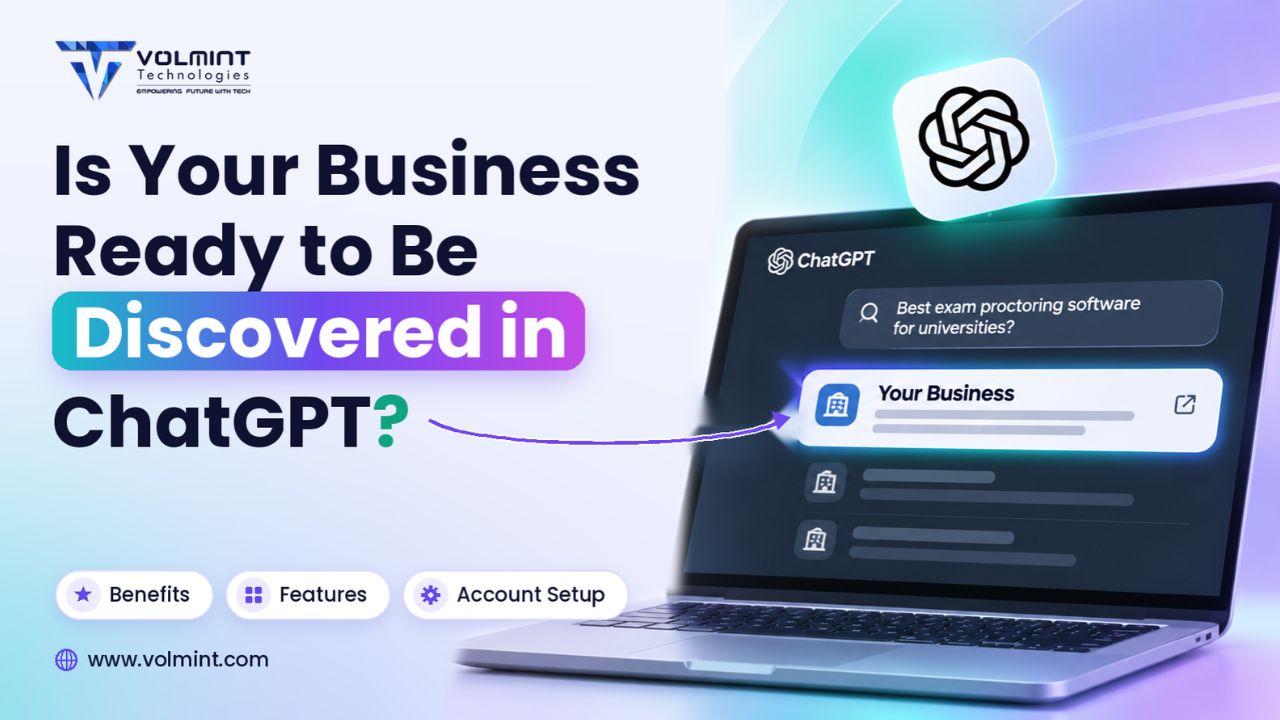
ChatGPT for Business, or OpenAI Business Hub, is designed for businesses to establish and manage their presence within the ChatGPT experience.  

With the Business Hub, an authorized business representative can claim an existing listing or add an eligible online business to the application, so that consumers can find them easily. They must verify ownership that allows them to update product/service details, policies, and insights about customer discovery.

Additionally, for e-commerce and service providers based in the US, the platform provides an opportunity to create an AI agent for their business. This agent can answer customer queries based on the product policies, information, and instructions documented by the business.

Note: Please note that claiming a business profile or creating an account on ChatGPT does not mean that it promotes your website or guarantees ranking improvements. It is a way to manage your business profile on AI and access available insights.  

How Does Business Hub Work?

The Business Hub offers a structured process that helps business owners or authorized representatives to manage information and access available insights, enabling business growth.

Step 1: Claim Your Business Profile

Begin your journey by signing in to ChatGPT and opening Business Hub from the sidebar. The authorized person can claim the profile by searching for their existing business listing and selecting the one that matches their organization. If the business is not available, the option to add a business can be used.

Step 2: Complete Business Verifications

The next step is to verify the connection with the business profile. How? Depending on the available options, verification can be completed through a business phone number, email address, website domain, or Shopify store ID. For website verification, businesses may need to add a TXT record to their domain's DNS settings.

Step 3: Complete Identity Verification

Once the business claim is approved, the very next step is to complete identity verification through Persona before accessing certain management features. The business must change available information, view insights, connect product feed, and create eligible agent, required for verification.

Step 4: Manage Information

After the required verification is completed, the business can now manage details through their Business Hub profile. They are allowed to manage, change, and update the website URL, descriptions, product/service category, logo, policies, and images. Keeping the information clear, accurate, and precise may help consumers understand what you offer.

What Features Does ChatGPT Business Hub Offer?

From profile management to feed integration and analytics, Business Hub helps businesses manage their presence through several features offered, allowing users to understand what you offer and how it helps.

Business Profile Management

With Business Hub, organizations can claim their existing profile or create one. They can manage descriptions, URL, information, images, policies, and categories.

Product Feed Integration

It allows e-commerce businesses that are selling products to connect a product feed and share product details, pricing, and availability. It supports product feeds, including Shopify and CSV uploads.

Insights and Analytics

Business Hub provides insights based on user interaction and data, helping businesses understand how users discover their information on OpenAI, including business mentions on reference websites, clicks, and topics.

AI-Powered Business Agents

One of the best advantages it offers is customer-facing AI business agent that helps users to know about your offerings and services. It also solves queries based on the information, policies, and instructions available.


Who Can Set Up a Business on ChatGPT? Eligibility Criteria

Business Hub is not offering every feature to every organization or country. It allows access based on the origin country and business type. It allows eligible businesses to claim an existing listing or add a business where ChatGPT-required verification methods are supported.

To claim a business, the person must be an authorized representative and complete the verification process that includes a phone number, email address, domain, and other required details.

Business agents have additional eligibility requirements. According to OpenAI's current guidance, they are available to eligible e-commerce and online service businesses in the United States that have a website and meet the applicable industry requirements.

For example, the customer-facing AI agent feature is available for US-based e-commerce and service providers. An Indian business can create an account on ChatGPT, but may not be able to access the agent feature.


How Can a Business Prepare for ChatGPT Discover?

Creating a business profile is the first step, but maintaining it with accurate and reliable information is equally important.

Here are some practical steps to follow:

  • Maintain consistent business information by ensuring the website name, logo, and details are clear.

  • Write clear, concise, and business-oriented details that help users to understand what your offer.

  • Refund policies, return policies, and service policies must be updated and mentioned clearly.

  • Businesses with products must choose the right category and provide accurate and reliable details.

  • Monitor business mentions, website clicks, and discovery topics to understand how the business appears in ChatGPT responses.

Ready to List Your Business on ChatGPT? Points to Ponder

Please note that before listing or claiming your business on Business Hub, organizations should understand a few points:

  • Claiming and Advertising are Different: Claiming a business on OpenAI does not mean that it promotes or recommends your business.

  • Verification Matters: Verifying your profile is important; otherwise, you may not access some important features.

  • Business Agents are Options: Customer-facing AI business agents are available in selected countries; not all businesses or users may be able to explore this feature.

  • Product feeds do not guarantee recommendations: They provide product information but do not control ChatGPT's independent recommendations.

  • Insights are aggregated: Businesses cannot access individual customer prompts or private conversations.

  • Availability varies: Business claiming and agent creation have different eligibility requirements.

Conclusion

AI-powered platforms are becoming an important part of how people search for information and explore businesses. As customer discovery evolves, organizations need to pay attention to how their business information is presented across digital platforms.

OpenAI's Business Hub provides a structured way for eligible businesses to claim their profiles, maintain business details, connect product information, and understand discovery activity through available insights.

Keep yourself updated with the latest developments in Tech and Innovation with Volmint Technologies.


Frequently Asked Questions

More Blogs

Contact Volmint Technologies

Let's Connect for Technological Brilliance

Reach Out to Volmint Technologies Today and Unleash the Power of Customized Solutions Tailored to Elevate Your Business.

Contact Us
Footer Background Circle
ChatGPT Business Hub: How to Set Up Your Business Profile